Tuesday, July 12, 2016

Change Flashlight Brightness on Your iPhone in iOS 10

Change Flashlight Brightness on Your iPhone in iOS 10

There has been a built-in flashlight on iPhones and iPod touches ever since the release of the Control Center in iOS 7, but it's stayed exactly the same since then. Now, in iOS 10, you can actually adjust the brightness from the toggle if you have 3D Touch.


First, swipe up the Control Center from any screen. Then just force-press the flashlight icon until a menu pops up allowing you to choose between Bright Intensity, Medium Intensity, and Low Intensity. The difference between them is drastic, covering all the bases.
While you do need a device with 3D Touch to adjust flashlight brightness right now, Apple is rumored to be working on a non-3D Touch way to do so, most likely a long-press. Only time will tell, though.
Images by Eric Ramsley/Gadget Hacks
Source: WHT

Monday, July 11, 2016

Top 10 Facebook Tricks You Must Know

Top 10 Facebook Tricks You Must Know


Do you surf facebook for hours? And would like to have some additional functions to your tiny world of friends? Well, if yes then you are at the right place. In our today’s article we would be covering few of the best tricks that will make your facebook lot more efficient and joyous. So, let’s then get started:
1. How to type colorful text for your status or chat
Want to impress your friends with something out of the box? If yes then follow our next steps. For typing any form of text in colorful way just paste following script for each letter: 
[[107015582669715]] = A [[116067591741123]] = B [[115602405121532]] = C [[112542438763744]] = D [[115430438474268]] = E [[109225112442557]] = F [[111532845537326]] = G [[111356865552629]] = H [[109294689102123]] = I [[126362660720793]] = J [[116651741681944]] = K [[115807951764667]] = L [[106596672714242]] = M [[108634132504932]] = N [[116564658357124]] = O [[111669128857397]] = P [[107061805996548]] = Q [[106699962703083]] = R [[115927268419031]] = S [[112669162092780]] = T [[108983579135532]] = U [[107023745999320]] = V [[106678406038354]] = W [[116740548336581]] = X [[112416755444217]] = Y [[165724910215]] = Z
colorful-facebook-status-trick
2. Creating your own chat 
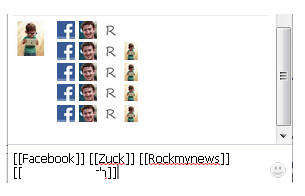
Want to chat with your friend in a different way? Well, you can if you want to. We have a trick by which you talk via pictures. You don’t need to upload them need to type them. For instance you want to show something related to mr.zuck, one of your friends, so, can show his profile pictures and type something with it. Just type the username in this way [[Zuck]] and profile picture would be sent in the chat.
create-your-own-facebook-chat
3. How to upload your pictures from flickr to Facebook 
If you have some albums on flickr and want to share them over facebook then your problem would be solved now. You should download flikr2facebook, for this transfer this program will automatically transfer all the albums or photos you want to transfer.
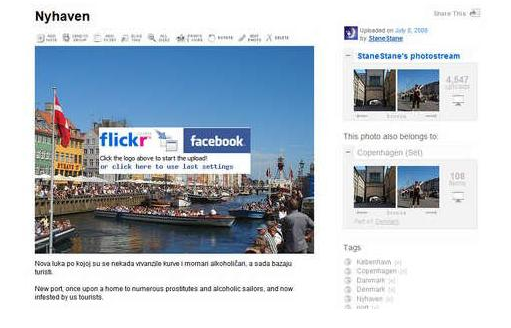
flickr2facebook 4. Scheduling facebook messages
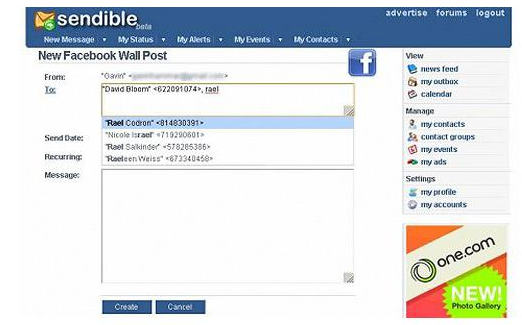
If you are using more than one messengers at a time or want to schedule your facebook messages then you should click here, you would here find a program for scheduling all you message at a single time. It’s fantastic software for people who want to deal people talking from more than one messenger.
sendible 
5. How to hide your facebook status from the friends you want
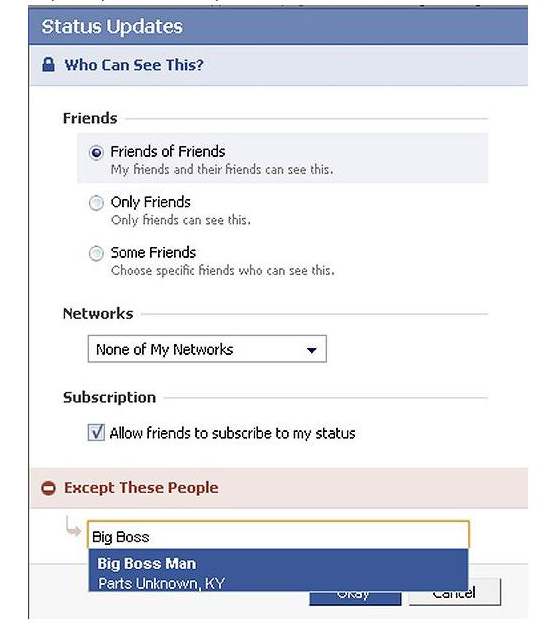
For hiding your status you need to need to change your privacy settings for this you will first go to privacy setting and from these go to profile tab. There you should go for status update setting there a page will open and you can under customize you can name the person you want to hide your status from.
hide-your-facebook-status 
6. Removing unwanted ads on Facebook
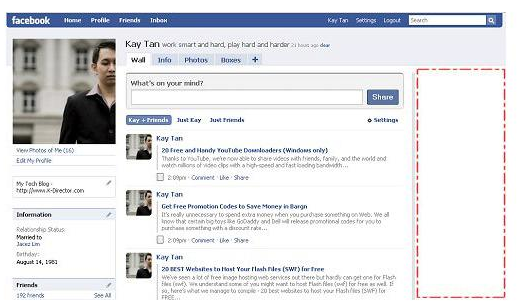
If you want to get rid of ridiculous advertisement on facebook, then you should try Facebookcleaner it removes all the unwanted advertisements which makes your browser slow and makes the browsing faster too.
Remove Facebook ads trick
7. Access your facebook account from your desktop 
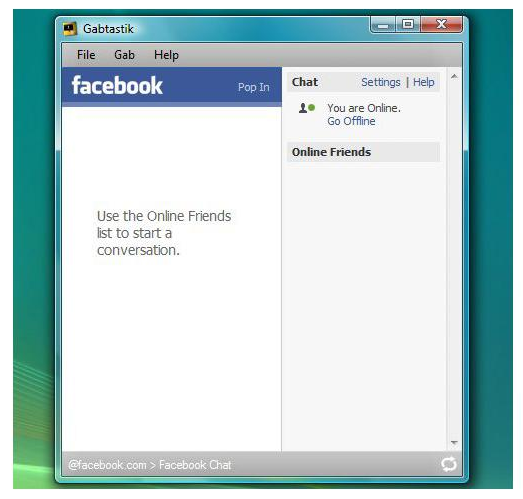
Don’t have time to visit facebook regularly now? Now get your facebook chatting on your desktop simply download Gabtastik and you can chat from your desktop with your friends.
gabtastik-script-fcebook 
8. How to create Quiz on Facebook
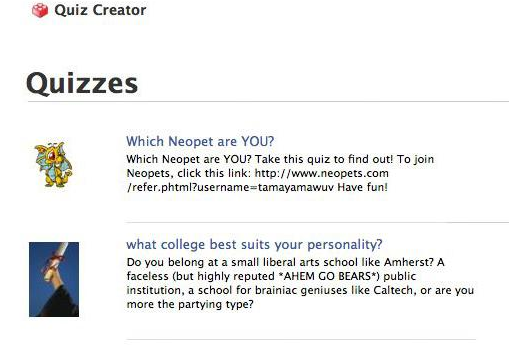
Have any question in your mind? Want to know it from your friend via quiz? Then there is no better place then facebook by going to LOLapps you can get a free quiz generator and have fun with your facebook friends.
Facebook-quiz-creating-tricks
9. How to display offline status to some of your friends
Don’t want to talk to some of your friends while remaining online? Well, you can do it now, it simple to do……….. Just go to your chat box and find a star there click it and go to advanced settings here you in the first write the profile names of the people whom you want to display offline status. As you write the names you would be shown offline in there chat box and originally you would remain online.
10. How to set your status remaining online on firefox
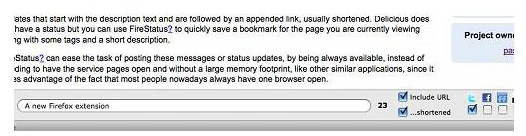
Using multiple social network and don’t have time to set the status regularly then useFireStatus, you can easily set your status with one button click to the leading social media sites. This will bring more efficiency and joy to your browsing experience.Firefox-status-facebook
So what are you waiting for, try these tricks incase they are new for you and enjoy :D 
How to Fall Asleep in Less Than 1 Minute

How to Fall Asleep in Less Than 1 Minute

It can be pretty tough to fall asleep when your brain is thinking nonstop or anxiety has gotten the best of you, and it seems to only get harder when you're lying in bed listening to yourself breathe. Yet paying attention to that breathing may be exactly what you need in order to find a calm, easy entry into a good night's rest.
Alina Gonzalez, writer for Byrdie, says that one special breathing pattern helps her glide into sleep better than anything else: the 4-7-8 method. After spending multiple nights awake with excitement, the 4-7-8 method was recommended to Gonzalez by a wellness practitioner, which has helped her out tremendously.
The breathing pattern goes as follows: breathe in through your nose for four seconds, hold your breath entirely for seven seconds, and exhale through your mouth for the remaining eight seconds. The entire process takes less than one minute to complete. Repeat as necessary.


You do not need to know any meditation for this trick. Lie down as you normally would.
Image via Shutterstock

Why This Sleep Hack Works So Well

So, what's so special about breathing in and out differently? This pattern of inhales and exhales gets not only your lungs, but also your brain working to put you to sleep. When we lie awake, anxiously awaiting sleep, we begin to stress ourselves out over the thought of not sleeping at all. In turn, our heartbeat increases and we take shallow, desperate breaths.
Image via Shutterstock
When we worry, panic, or stress out, we do something called under-breathing. As Calm Clinic explains, we worry that we aren't getting enough oxygen, so we panic even more and begin to take faster, shallower breaths to make up for it. Yet we're getting more than enough oxygen—this habit actually fills our system with too much, leading to hyperventilation.
So, the 4-7-8 breathing pattern makes you slow down and take a moment, in a literal sense. When you breathe in slowly for four seconds, you pause and let the breaths sink in. As you hold those breaths for seven seconds, you allow the oxygen to take effect and fill your body. And, finally, when you exhale for eight seconds, you release the carbon dioxide steadily. In response, your heart rate will slow, as your panic drops, and the rest of your body relaxes in turn as you control your breaths.

A Natural Sleeping "Medicine"

As Gonzalez writes, the 4-7-8 breathing technique can feel as fantastic as a sleep sedative. Rather than desperately worrying and trying to rush into sleep, you soothe your entire body and glide gradually into calm.
Image via Shutterstock
Gonzalez isn't the only fan or proponent of this one-minute sleep method, either. Dr. Andrew Weil of Harvard University is one of the 4-7-8 method's biggest fans.
Weil recommends using this breathing technique not only when you need to fall asleep quickly, but also any other time you seek a calm state of mind. Use it when you feel upset, so it can soothe you before you react, or even to fight off feelings of strong cravings. He suggests this as a solution for mild anxiety disorders, too.
Image by Yumi Sakugawa/WonderHowTo
Yumi Sakugawa, from Secret Tips from the Yumiverse, also recommends the 4-7-8 breathing technique for de-stressing in general, as well as a few other breathing exercises.

Get to Sleep No Matter Your Mindset

The 4-7-8 method can help you to both reclaim your bedtime and slip into sleep almost immediately. With its calming effects, it puts your mind at ease and helps you to drift off without staying up and counting imaginary sheep.
Still need help with sleeping at night? See how to quiet your anxious mind and build better bedtime habits. And, should you wake up during your all-important sleep cycle, you don't have to stay awake—use these tricks to fall asleep once again.

Saturday, July 9, 2016

How to Make Money From Streaming Videos Online

How to Make Money From Streaming Videos Online

Step 1 Find Good Quality Websites to Submit Videos

First and foremost, you need to do your research online and check out good quality streaming websites that have high traffic volumes each day, as well as good quality links without all the spam. Of course, there is a lot of websites doing this right now, and is a niche a lot of webmasters are getting into. But this does not mean you cannot earn some money.

Tips

  • Find a good quality, high traffic website that accepts links to be submitted.
  • Check the stats of the website yourself using Alexa.
  • If the website checks out, sign up for an account.
  • Most importantly, DO NOT SPAM links on a website as a new user (you will be banned).
  • Respect the rules of each individual site (read rules very CAREFULLY).

Step 2 Find the Best Streaming Website Hosts

Currently, the top sites that stream content are videobbPutLocker, and MegaVideo. These streaming sites have become common place with watching streaming content online. 
VIDEOBB
Videobb is relatively new (only one year old), but they have come on with leaps and bounds over the last year and made a very big name for themselves. They pay on a weekly basis every Tuesday, and the minimum payout is $20. Only recently they have included an 'add video to my account' option, which basically means you can import a video directly to your account from another video (a Premium Account is needed for this option), but this is a very easy and quick way of building up a list of good quality links to submit to streaming websites. Their videos are good quality and they are updating their servers each day to make it an even better streaming experience for users. Videobb allow three types of uploads; remote upload, FTP, and standard uploads from computer.
PUTLOCKER
PutLocker is a little older than videobb and has become a force to be reckoned within the last year. The biggest advantage of this site is the streaming option for free users which never gives you a time limit. This has become their biggest selling point as a streaming host from a user standpoint. They don't have an 'add video to account' option, but you can upload videos via remote upload or standard upload from computer or FTP. My advice is, if you are starting out and want to draw in your users this is the host to use as a start up. PutLocker pays each month for video views.
MEGAVIDEO
MegaVideo is the oldest, and still to this day, has a good following all over the world. Only recently have they done a huge advertisement campaign with stars such as P-Diddy and Snoop Dogg, to name a few. This has brought them back into the limelight again, as they have really dropped down the ranks as they stopped paying for video views. The one thing I prided MegaVideo for back in 2009 was their fast streaming, but since then it has gone downhill regarding video streaming speeds and this has had a negative effect on their users. That being said, they have told me they intend to bring streaming movies and tv shows to another level in 2012, so this could be kick start they need to inject some good competition back in the streaming business again. 

Tips

  • Do not create multiple accounts on hosting websites; they will find out and ban you.
  • Upload good quality videos that appeal to your audience.
  • Make your mark and be uniform with your uploads every day.

Warnings

  • DO NOT UPLOAD PORN MATERIAL OF ANY KIND.
  • Your account will be banned forever.

Step 3 Top 10 Most Popular Streaming Websites to Submit To

The sites listed below are the best sites I have come across to submit videos to. I have worked for a number of these sites and still do today. The sites below are only English-related sites. If anyone has others they would like to add, by all means, let me know in the comments below and I will add them accordingly.
I have added the Alexa details under each individual website link for users to check.
  1. Alluc  (Alexa details)
  2. Solar Movie  (Alexa details)
  3. tvDuck  (Alexa details)
  4. One-TV Shows  (Alexa details)
  5. TVSearch  (Alexa details)
  6. Motion Empire  (Alexa details)
  7. QuickSilverScreen  (Alexa details)
  8. 1Channel  (Alexa details)
  9. Tube+  (Alexa details)
  10. TVLinks  (Alexa details)

Top 5 Things to Remember When Submitting Links

  • Choose only popular streaming content.
  • Be quick when adding links, as they can build up very fast.
  • Never abuse policies of websites, as they will revoke your account fast.
  • Don't vote cheat on websites (for example, voting other links down for your benefit).
  • Be helpful in the forums (if available). This will increase your rank as an uploader.

Final Thoughts

This is an easy guide to earning money from streaming content and should help a lot of users out there who are thinking of starting this as a hobby.
Enjoy!

How to block a website on PC and Mac

How to block a website on PC and Mac


Ways to Blocking a Website on a PC
  1. Open the "Control Panel" by click "My Computer" on your PC
  2. Find the "Security Center" and click to open it.
  3. A window should appear and at the bottom where it says,"Manage Security settings for:"Find and choose "Internet Options".
  4. A window should appear and there should be a box at the top; click on "Restricted sites". Then click on sites.
  5. And there should be an area where you can type what site you want to enter.
  6. Type the site you want to block, click add. The site you added will be not opened on this computer


Ways to Blocking a Website on a Mac

Open the "System Preferences" panel --- Click to open "Parental Controls"(If you have multiple user accounts enabled, you will be able to choose the account that you wish to apply restrictions to. Enter a password if necessary.) --- Click "Enable Parental Controls" --- Locate the "Content" tab --- Select the type of restrictions that you would like to enable.

If you want Safari to block access to pornographic or other adult sites automatically, choose "Try To Limit Access To Adult Websites Automatically".
If you want to create a list of acceptable sites, select the option to "Allow Access To Only These Websites". Then enter the names of the websites that you want to allow Safari to access on the table provided.
When you are finished, exit Parental Controls/System Preferences and your changes will automatically be saved. Safari web browser will only allow access to the websites that you have specified.